Daniel Garcia's Windows Server & Network Lab
Server Lab
Welcome to my home server lab!
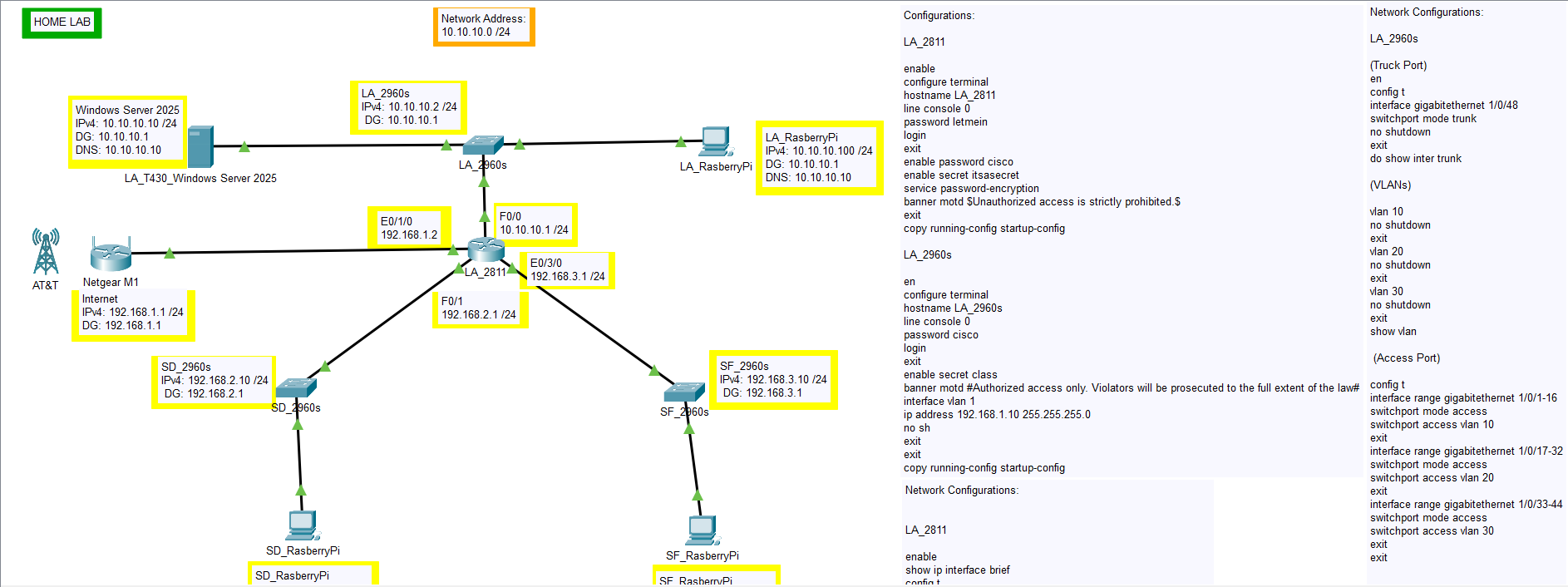
This lab is designed to simulate a small enterprise network environment to practice system administration, networking, and cybersecurity skills. I’ve set up both physical and virtual systems to create realistic scenarios that help me stay sharp and grow professionally.
Network Devices:
-
Netgear Nighthawk M1 – Acting as my wireless router and internet gateway
-
Cisco Router 2811 – Configured for internal routing, dynamic/static routes
-
Cisco Catalyst 2960s Switches – Used for VLAN segmentation and trunking
Servers & Workstations:
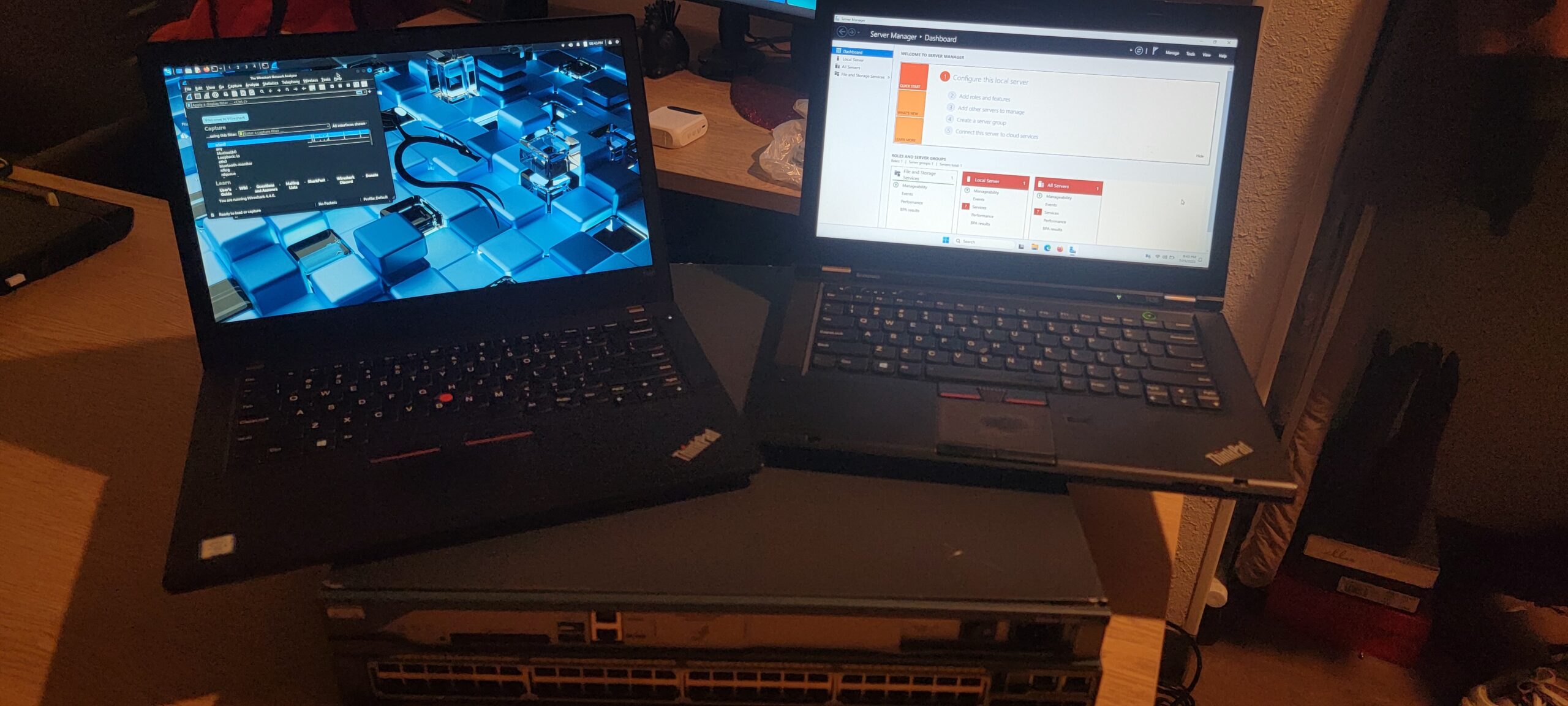
Lenovo ThinkPad T430 – Running Windows Server 2025 (early preview), acting as a domain controller and DHCP/DNS server- Lenovo ThinkPad T480 – Dual boot system:
-
Kali Linux (for pen-testing and security tools)
-
Windows 11 Pro (client machine for domain joining, Group Policy testing)
-
- 1x Raspberry Pi 4 Model B – Running Raspberry Pi OS, simulating a lightweight client system
- 3x Raspberry Pi (Planned) – Will act as end-user devices on different network segments
Lab Goals & Experiments:
-
Active Directory Domain Services (AD DS) – Set up and manage a domain
-
DHCP & DNS – Centralized IP address management and internal name resolution
-
Group Policy (GPO) – Enforce user, security, and software policies
-
VLANs & Trunking – Create multiple broadcast domains for network segmentation
-
Router-on-a-Stick Configuration – Inter-VLAN routing with the 2811
-
Penetration Testing & Hardening – Simulate attacks with Kali Linux and secure systems
-
Network Monitoring – (Optional: Add tools like Wireshark, ntopng, or Zabbix)
-
Automation (Future) – Use PowerShell and Python for script-based management
Future Plans:
-
Add a second Windows Server instance for replication or testing failover
-
Install and configure a Linux server (e.g., Ubuntu Server or Debian)
-
Set up virtualization with Hyper-V or Proxmox (if hardware allows)
-
Use Ansible or PowerShell DSC for configuration management
-
Experiment with containerization (Docker) and hosting web apps internally
Notes:
-
All devices are physically cabled and tested for real-world reliability
-
This lab is inspired by NetworkChuck and other homelab creators
-
It evolves constantly as I learn new skills and tools